
Phonto - Text on Photos
youthhrArt & Design
4.715.86K Reviews
- Version
- 1.7.133
- Installs
- 50.00M
- Age Rating
- Everyone
Screenshots

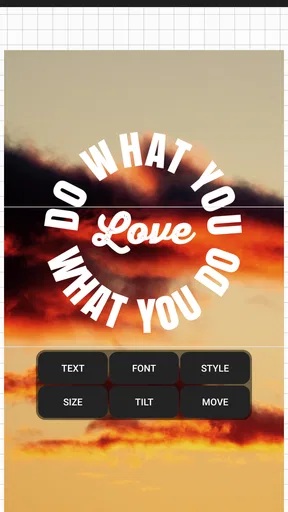
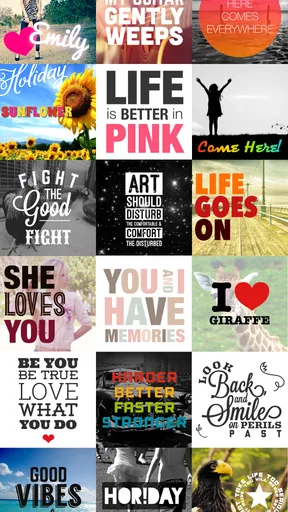
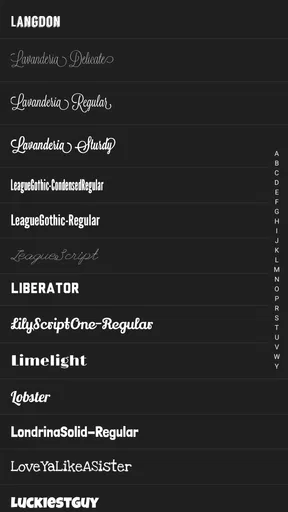
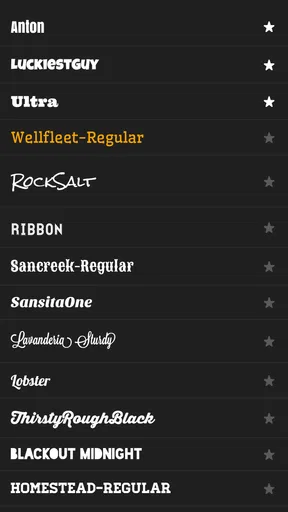
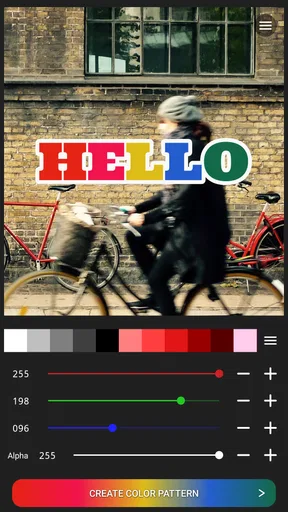
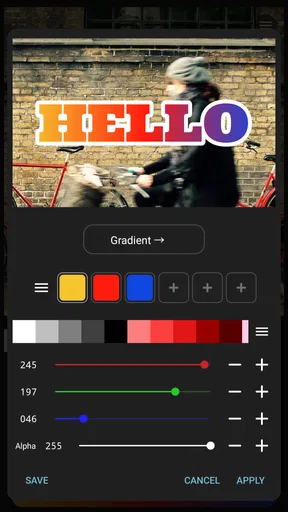
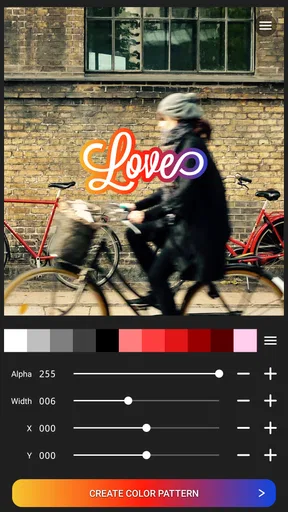
Our Review of Phonto - Text on Photos
 Analysis by Appyee
I first opened Phonto - Text on Photos for a very ordinary household task: adding a readable label to a picture before sending it to someone else. That small job explains the app better than any feature list. It is not trying to replace a full photo editor. It focuses on placing words over images, and that narrow purpose makes it quick to understand, especially when several people use the same phone for school notes, invitations, reminders, jokes, or social posts.
Phonto is a free Art & Design app from youthhr, rated for Everyone. It has been around since Apr 27, 2012, and its current version is 1.7.133. The app has built a 4.7 average from around 567 thousand ratings, with over 50 million installs. Those figures match my impression of a mature, familiar utility rather than a new editor still searching for its identity.
How it works when a household shares one device
The basic workflow is pleasantly direct. I choose an image, add a text layer, then adjust the words until they fit the picture. That simplicity matters on a shared tablet or family phone because another person can pick it up and understand the main job without learning a complicated editing system first. A child can make a birthday image, a parent can mark a storage box photo, and a student can prepare a visual note without navigating a large collection of unrelated tools.
A realistic example is a family preparing for a weekend event. One person takes a photo of the meeting place, another adds the time and a short instruction, and the finished image can be passed around in a group chat. Phonto is useful here because the message stays attached to the image. Nobody has to remember which separate caption belonged to which photo, and the result feels more deliberate than typing a long explanation underneath.
I also found it practical for temporary household communication. A photo of a cupboard can carry a note about what belongs there; a picture of a plant can show its name; an image of a parcel can be marked with the recipient. These are modest uses, but they suit the app’s focused design. I would not open it to organize a large collection of family photos or perform detailed retouching. I would open it when the missing piece is clear, well-placed text.
The first edit is easy, but good typography still takes judgment
The controls are approachable, yet producing a polished result is not completely automatic. Text that looks fine on a bright screen can disappear against a busy photograph. Long sentences can crowd the image, while a very short label may look lost if it is placed without enough contrast. I recommend writing the message first, then choosing a position with open visual space instead of covering the most important part of the photo.
One useful habit is to make a duplicate of the original image before experimenting. That gives everyone sharing the device a clean starting point and prevents an edited copy from being mistaken for the source. It is especially helpful when one person wants a playful design and another needs a plain, readable version for practical use.
Another small but important tip is to check the image at its intended size. Text that seems balanced while editing may feel too small when the picture is viewed in a messaging app. Conversely, oversized lettering can dominate a photo when the goal was only to add a discreet reminder. I treat the first version as a draft, then reduce the wording before trying to solve the problem with smaller text.
Shared-device setup needs simple boundaries
Because the app is designed around visual editing rather than separate household profiles, coordination is mostly a matter of device habits. I would create a clear folder or album for finished images and keep original photos separate. That is not a special Phonto feature; it is a sensible routine that prevents one person’s drafts from becoming another person’s source material.
If several people use the same phone, it helps to agree on naming before saving. A short label such as “party invite” or “plant guide” is easier to find than a series of nearly identical files. I would also decide who is responsible for deleting failed drafts, since a simple editor can still leave a cluttered camera roll when every experiment is kept.
The app’s free price makes casual shared use easy to try. There are in-app purchases ranging from $2.99 to $4.49 per item, so I would still keep purchase decisions with the device owner rather than letting a child or guest explore them unsupervised. The important point is not that the app is difficult to use; it is that a shared device needs a clear boundary between making an image and approving optional spending.
For a household, I would also separate creative permission from communication permission. Someone may be allowed to design an image but not send it from another person’s account. Phonto helps with the first task, not the second. The finished picture can be handed to the person who owns the relevant messaging or social account, preserving a useful line between editing and publishing.
Coordination is where a focused editor helps most
When people work together, a narrow tool can be less confusing than a large design suite. A full editor may offer layers, templates, filters, drawing tools, and export choices that are valuable for serious projects but distracting for a quick household instruction. Phonto’s central idea remains visible: put words on an image and make them readable.
That focus also makes handoffs easier. I can prepare the image, show the result to someone else, and ask for a change without explaining a complicated project structure. For a shared invitation, I would keep the wording short, check names carefully, and export only after everyone has approved the final spelling. The app cannot solve a coordination mistake after an image has been sent, so a final read-through is worth the few extra seconds.
A less obvious use is creating several versions of one image for different audiences. A household could keep the photo unchanged for a personal archive, add a practical label for relatives, and make a more decorative version for a social post. The trade-off is extra manual work: Phonto is good at making each version, but it is not a campaign manager or a collaborative workspace that tracks who approved which variation.
I would avoid editing the same file repeatedly when multiple people have different ideas. Instead, keep the original and make separate versions with clearly different names. This prevents the familiar shared-device problem where the latest save silently replaces the version someone else preferred. The workflow sounds basic, but it protects the original creative choice without requiring advanced account management.
Age context and trust matter more than technical skill
With an Everyone content rating, the app is suitable for a broad audience in the ordinary sense of its creative purpose. A young user could understand the central editing task, and the interface does not require professional design knowledge. Still, an age rating should not be treated as a complete household policy. Parents and guardians may want to decide which photos a child can use, which images may be shared, and whether optional purchases are permitted.
I would be comfortable introducing it to a child for a supervised project such as a school poster or a handmade card. I would not assume that a child understands the privacy implications of putting names, addresses, school details, or schedules directly onto a photo. The app makes adding those words easy; that is precisely why an adult should explain what belongs on a private family image and what should never be posted publicly.
Trust also applies between adults sharing a device. A person can open a family photo and add text without intending harm, but a joke can become embarrassing when it is forwarded without context. I prefer agreeing on who may edit personal images and keeping sensitive originals in a separate location. Again, these are household practices rather than built-in family controls, and that distinction is important when deciding whether the app fits your situation.
For older relatives, the straightforward purpose can be an advantage. Someone who finds a broad design application overwhelming may manage a single text-on-photo task more comfortably. I would prepare a short demonstration: select an image, add a phrase, adjust its placement, and save a new copy. Keeping the lesson focused avoids turning a simple request into a general course in mobile design.
Where it beats the usual alternatives
The most obvious alternative is the text tool already included in a social network or messaging app. Those tools are convenient when the image is going straight into a story or chat, but they are tied to the publishing step. Phonto is more useful when I want to prepare a reusable image first, keep a copy in the phone’s gallery, or pass the file to someone who will publish it later.
A general photo editor is stronger when the job includes detailed cropping, color correction, object removal, drawing, or layered composition. If I am making a polished poster with several visual elements, I would choose a broader design application. Phonto wins when those extra tools would slow me down and the message itself is the main design element.
Template-based design apps can produce attractive results faster for invitations and promotional graphics, particularly when I want a ready-made layout. Their convenience can also make a result feel less personal, and they may encourage users to work inside a more elaborate system than necessary. With Phonto, I have to make more visual decisions myself, but I get a plain canvas for a photo I already chose.
There is also a difference between decorative text and informative text. For a simple label, date, name, or short instruction, the focused approach is sensible. For a long announcement, a multi-page document, or a design that must be edited by several people at once, this is the wrong category of tool. I would switch to a document or collaborative design app rather than force a small image editor to handle a large communication job.
Limitations I noticed during everyday use
The same simplicity that makes the app approachable can feel limiting after a few projects. Users who expect a full creative studio may want more control over the entire image, not just the lettering. Phonto’s value depends on whether text is the central problem. If the photo itself needs substantial correction, I would edit it elsewhere first and then bring the prepared image into this app.
Manual placement also means that consistency takes attention. If I create a set of household labels, I need to keep the wording, position, and visual scale consistent by eye. That is manageable for a handful of images, but less comfortable for a large batch. A template-oriented tool may be better when every design must follow the same formal layout.
Another limitation is the absence of a natural shared-workspace feeling. Several people can use the same device, but that does not mean they are collaborating inside one organized project. I would not rely on the app alone to track revisions, assign responsibility, or preserve a history of changes. For family coordination, folders and a short naming convention do more work than the editor itself.
Finally, the app’s focused purpose may encourage over-editing a photo that only needs a sentence. Before opening it, I ask whether plain text in a message would be clearer. If the image adds useful context, the edit earns its place. If not, adding a caption to a picture can create extra clutter and another file to manage.
Who should use it and who should skip it
I recommend Phonto to people who regularly need words on existing photos without wanting to learn a complete design suite. It suits students making visual study notes, families preparing simple invitations, small sellers labeling product images, and anyone who wants a quick personal caption that remains part of the picture. Its free entry point also makes it reasonable for occasional use rather than a tool you must commit to for every project.
I would suggest it for a shared household device when the family can agree on basic file organization and publishing boundaries. The app is easy to pass between users, and its Everyone rating makes the creative purpose broadly approachable. The household still needs to supervise image sharing and optional purchases, particularly when younger users are involved.
I would skip it if your main need is collaborative design, advanced photo correction, batch production, or carefully controlled brand layouts. In those situations, a larger editor or a template-based service will save time despite having a steeper learning curve. I would also skip it for text-heavy documents; shrinking a paragraph onto a photo is rarely a good substitute for a readable page.
My household verdict
After using it for practical labels, casual graphics, and shared-device projects, I see Phonto as a dependable specialist. It does not need to be the most powerful editor because its best quality is restraint. I can open it with a clear task, make the wording fit the image, and hand the result to another person without turning a small job into a complicated project.
Its strongest household benefit is coordination through a visible result: the instruction, invitation, or reminder travels with the picture. Its main weakness is that the app does not replace household organization, account judgment, or careful decisions about what should be shared. Those responsibilities remain with the people using the device.
For me, the deciding question is simple: do you want to design an entire composition, or do you want to make an existing photo say something clearly? If the second answer describes your everyday need, this free app is an easy recommendation. It is at its best when the message is short, the photo already works, and the household agrees on who edits, saves, and shares the final image.
Verdict
Strengths of Phonto - Text on Photos
- Supports many fonts and lets you install custom font files.
- Text size, color, spacing, stroke, shadow, and alignment are highly adjustable.
- Simple interface makes adding captions quick, even for beginners.
- Works well for memes, quotes, thumbnails, invitations, and social posts.
- Can save designs in high resolution for clearer sharing and printing.
Limitations of Phonto - Text on Photos
- Some advanced tools and content may require in-app purchases.
- The app is mainly for text editing, not full photo retouching.
- Large font collections can make browsing and choosing slower.
- Exported images may include ads or branding depending on the version.
- The interface can feel dated compared with newer design apps.
Similar Picks in This Category
View All
Canva: AI Photo & Video Editor
Canva4.8

PENUP – Drawing-sharing SNS
Samsung Electronics Co., Ltd.4.5

Crafto
Kutumb App4.6

Sketchbook
Sketchbook4.1

ibis Paint X
ibis inc.4.5

Adobe Express: AI Photo, Video
Adobe4.6
Frequently Asked Questions
What is Phonto - Text on Photos used for?
Phonto is a photo-editing app focused on adding text to images. After testing it, I found it useful for creating social media posts, quotes, banners, invitations, thumbnails, memes, and simple promotional graphics. You can type directly on a photo, adjust the font, size, color, spacing, alignment, stroke, shadow, and background, then save or share the finished design.
Does Phonto offer enough fonts and customization options?
Yes. Phonto includes a broad selection of built-in fonts and also supports adding compatible font files, which is helpful when you want a more personal design style. Text can be rotated, moved, resized, and customized with colors, gradients, outlines, shadows, letter spacing, and line spacing. The interface is practical, although beginners may need some time to discover every option.
Can I use Phonto without an internet connection?
Phonto can generally be used offline for its main editing functions, including importing photos, adding text, adjusting the design, and saving images. An internet connection may still be needed for downloading additional fonts, viewing certain optional content, sharing through online services, or accessing store-related features. Offline availability can vary slightly depending on the device and installed version.
Does Phonto reduce photo quality when saving images?
Phonto is designed to save edited images at a useful resolution, making it suitable for everyday social media graphics and personal projects. However, the final quality can depend on the original photo, the selected export settings, and the device. Users preparing images for professional printing should check the saved file carefully, because a simple mobile editor may not provide the advanced color and print controls of desktop software.
Is Phonto free, and are there advertisements or optional purchases?
Phonto can be downloaded and used for free, allowing users to perform its central text-on-photo editing tasks without committing to a subscription. Depending on the platform and current version, the app may display advertisements or offer optional purchases, such as removing ads or accessing additional resources. Before downloading, it is worth checking the current store listing for pricing and permissions.
